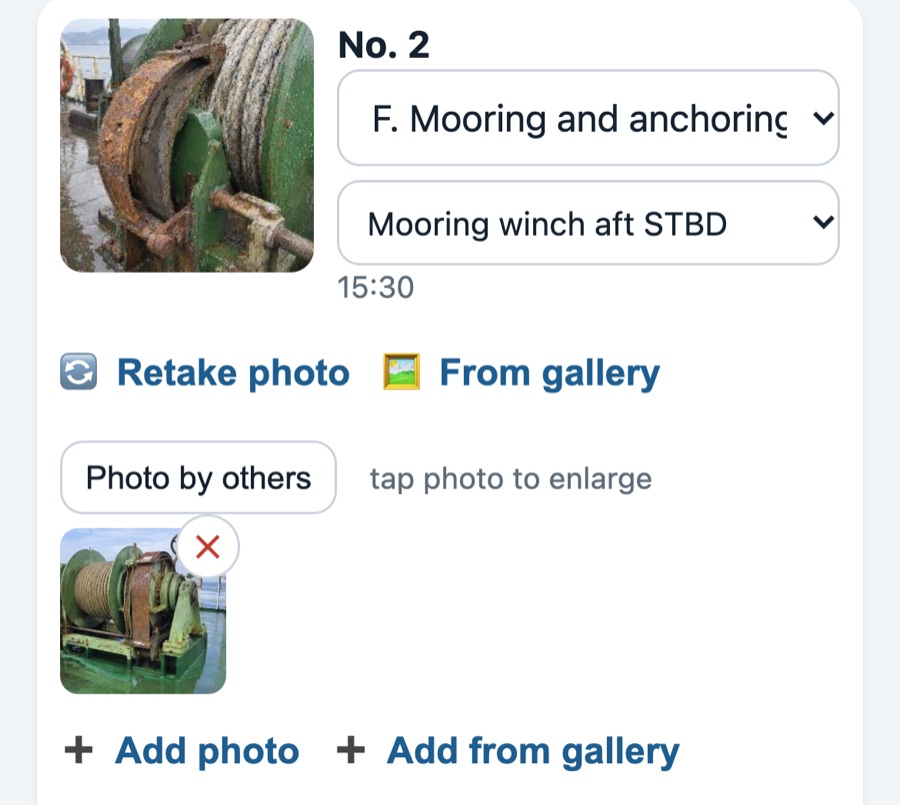
Retake, delete or add from Photos
Up to 8 photos per finding, from the camera or your Photos app. Wrong one? One tap removes it.
For ship superintendents and marine surveyors
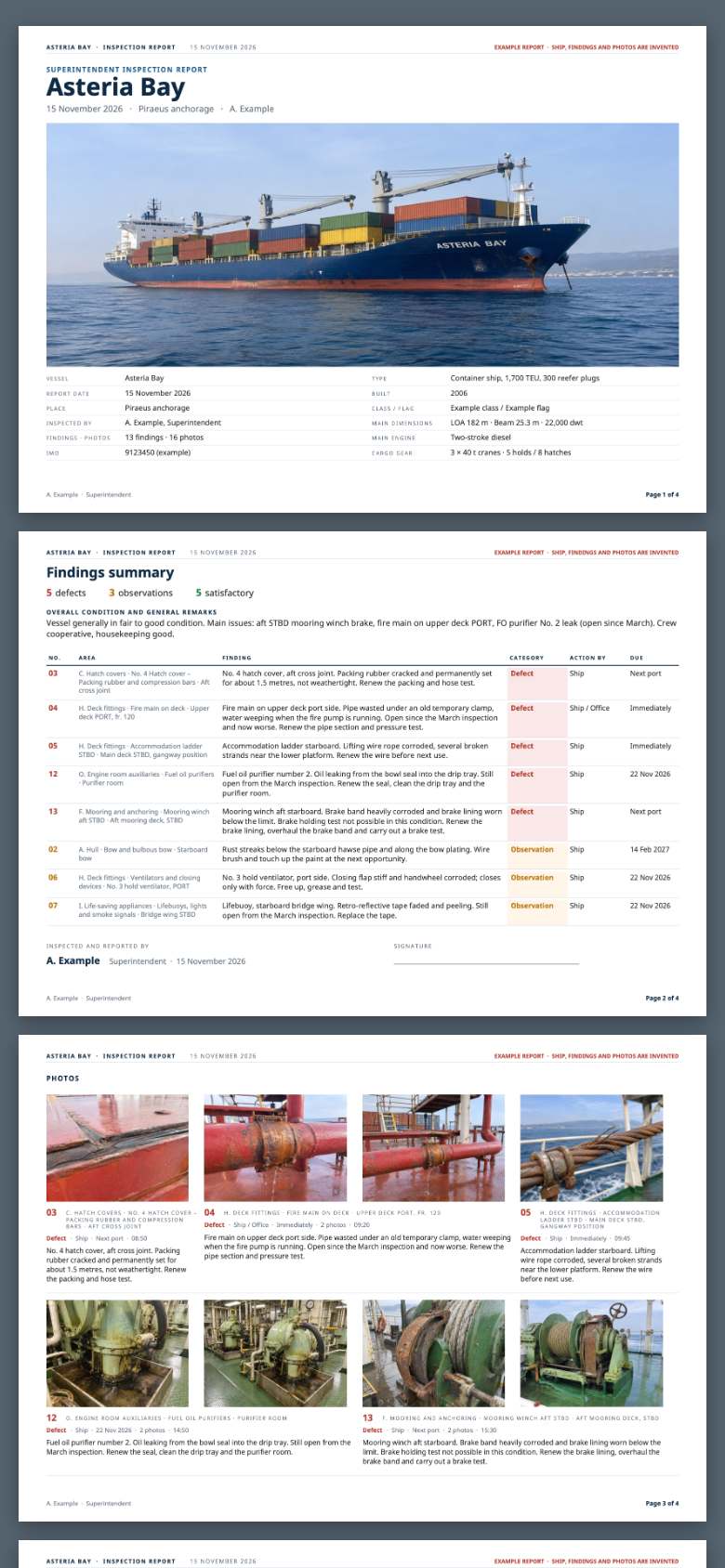
Walk the ship with your phone. Photograph each finding and say or type what you see. At the end, one button makes the Word and PDF report: cover, findings summary, and every photo with your comment under it. Minutes, not hours.
Free for 30 days, no card · then €79 a year or €8.99 a month, VAT included
“With one click. It saved me many hours.”Zisis Kazakis · Superintendent, Piraeus · read his words ↓Screen by screen
Real screens from the app, in the order you use them, and the report it makes at the end. The example ship is invented.
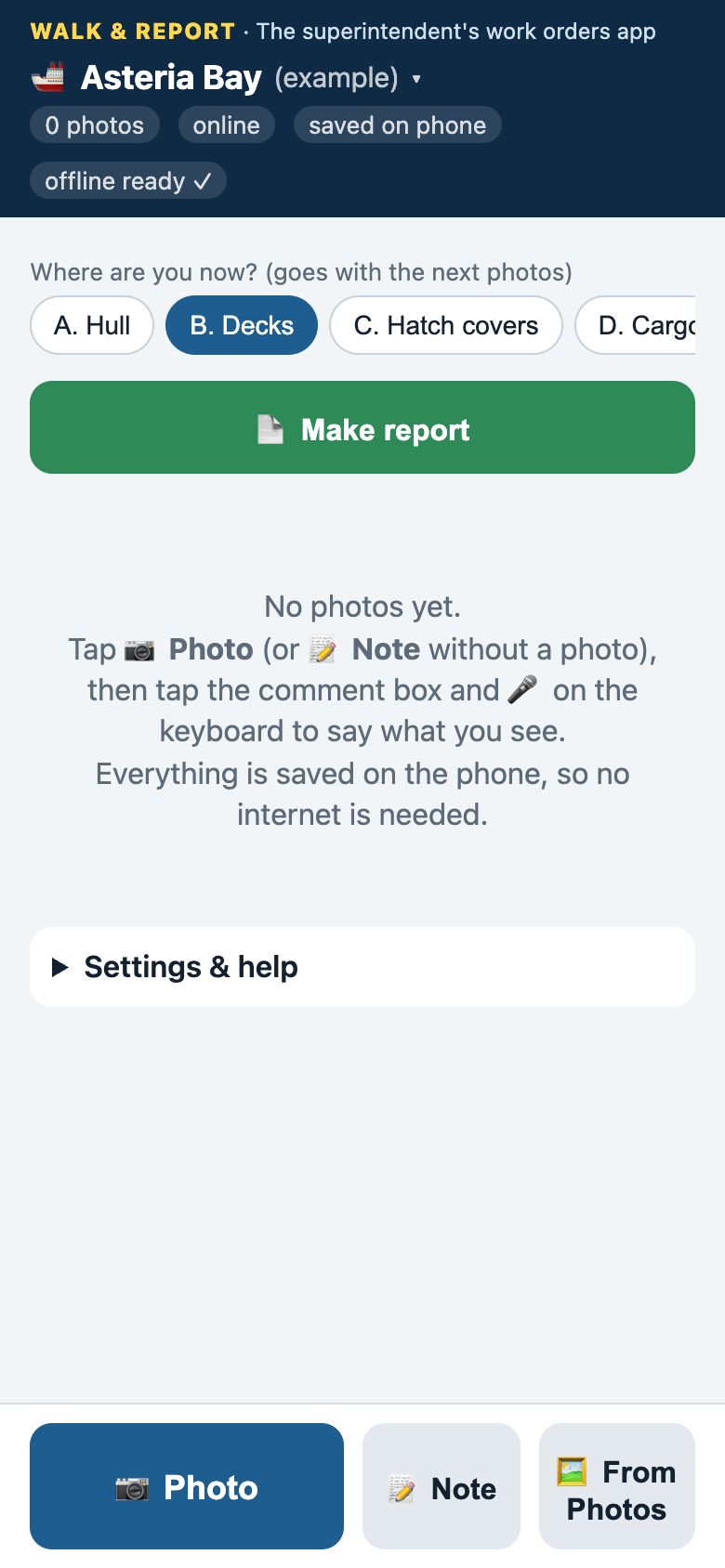
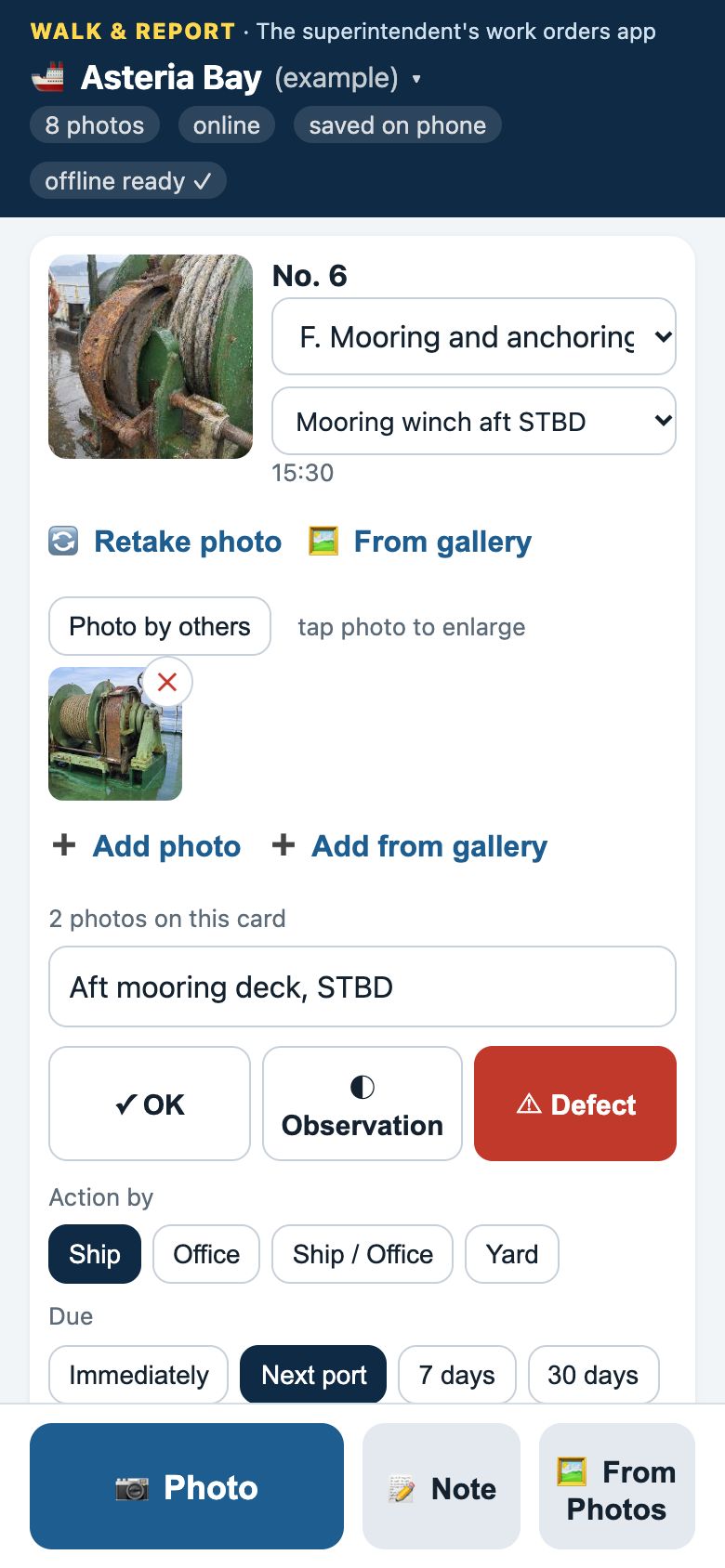
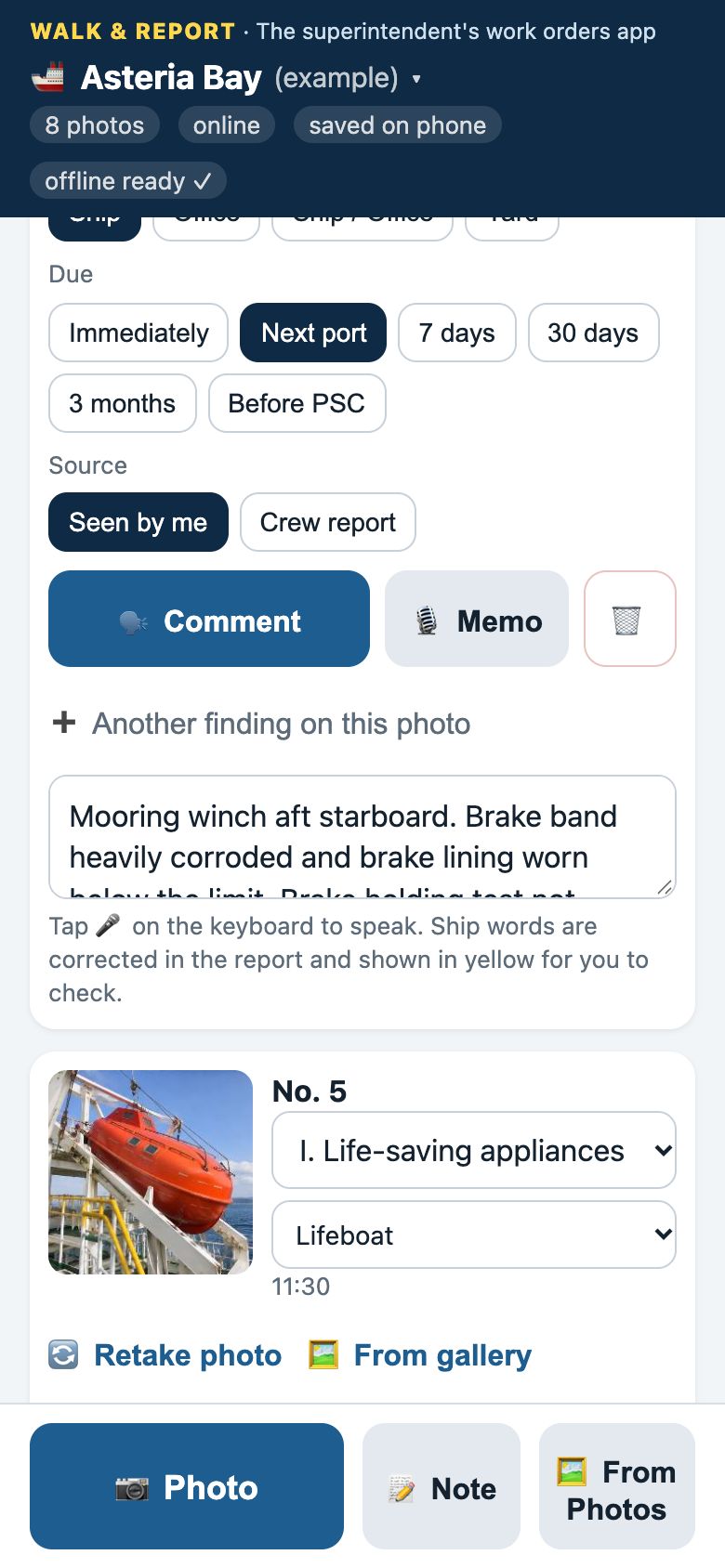
1Pick where you are
Who does what
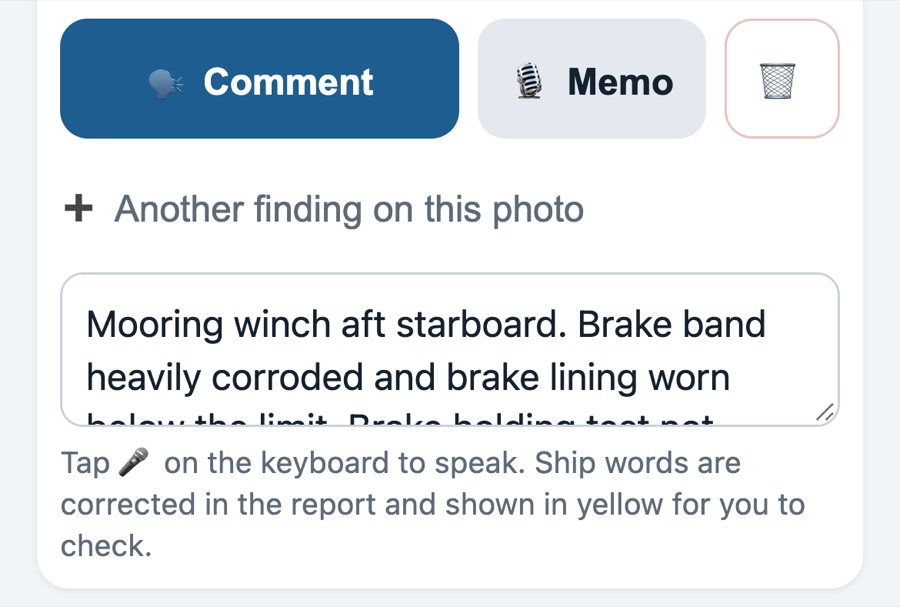
No AI writes your report. Dictation is your phone keyboard's own microphone. Numbers and ship words that dictation often mishears are marked yellow, so you check them before you send.
On the phone
Real screens from the app. Nothing here is a mock-up.
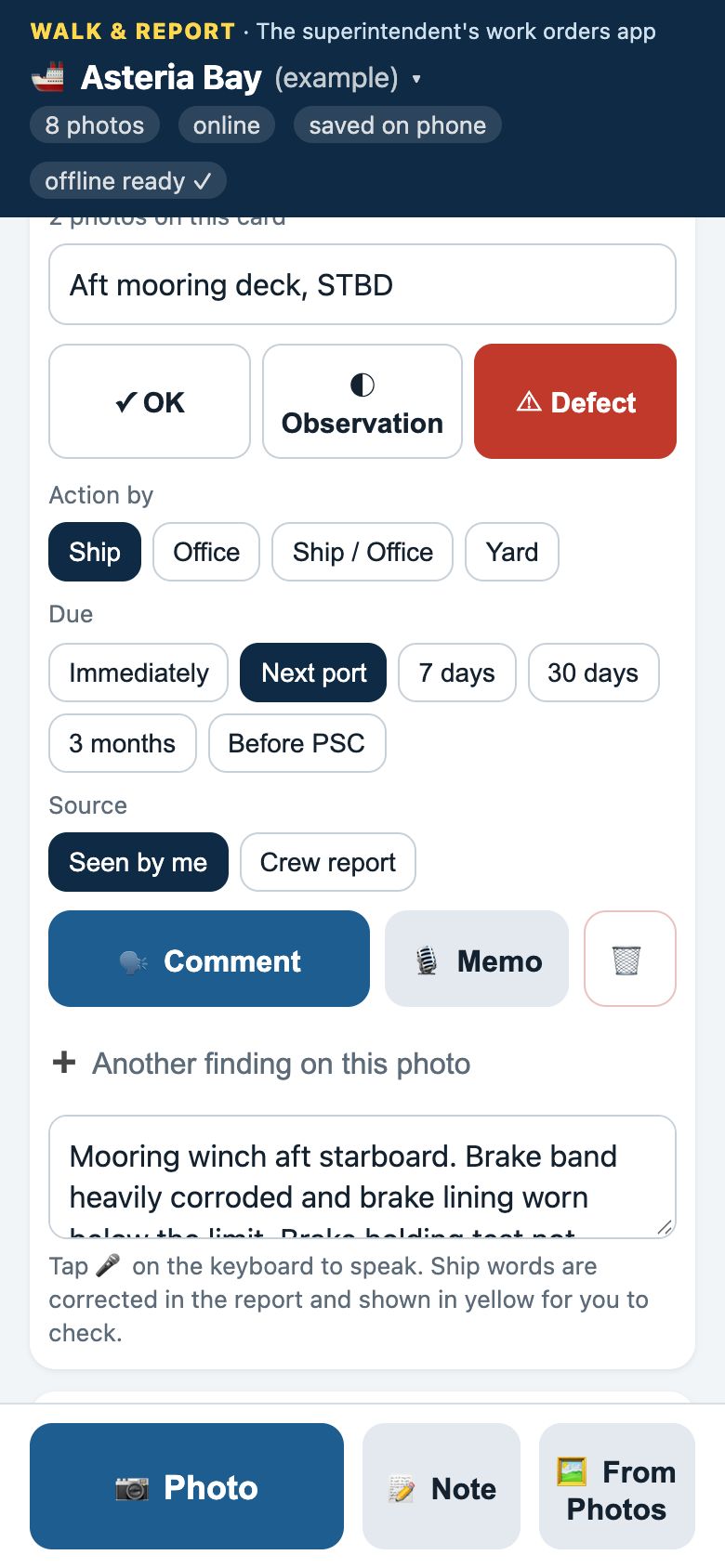
Up to 8 photos per finding, from the camera or your Photos app. Wrong one? One tap removes it.
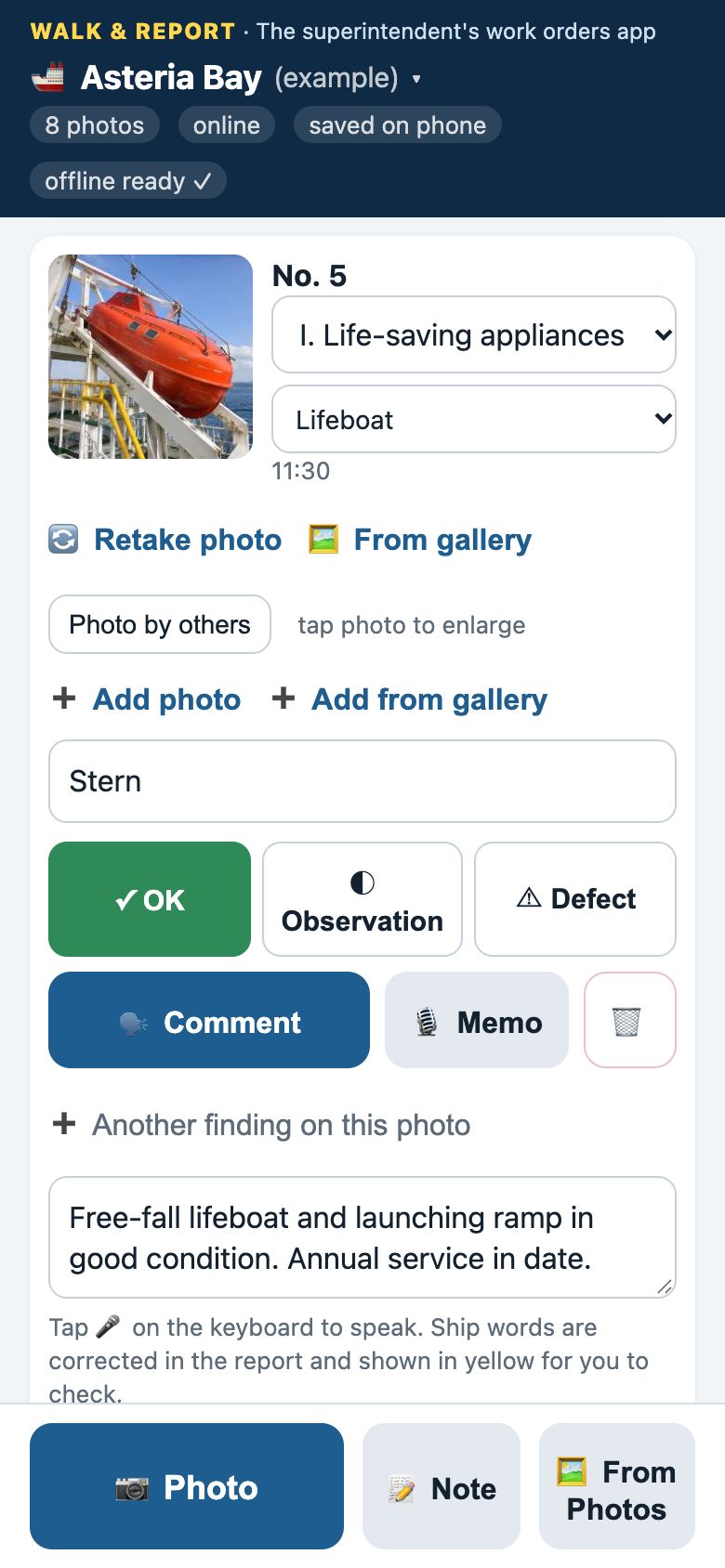
Dictate the comment or type it. Not right? Delete it and say it again, or record a voice memo again.
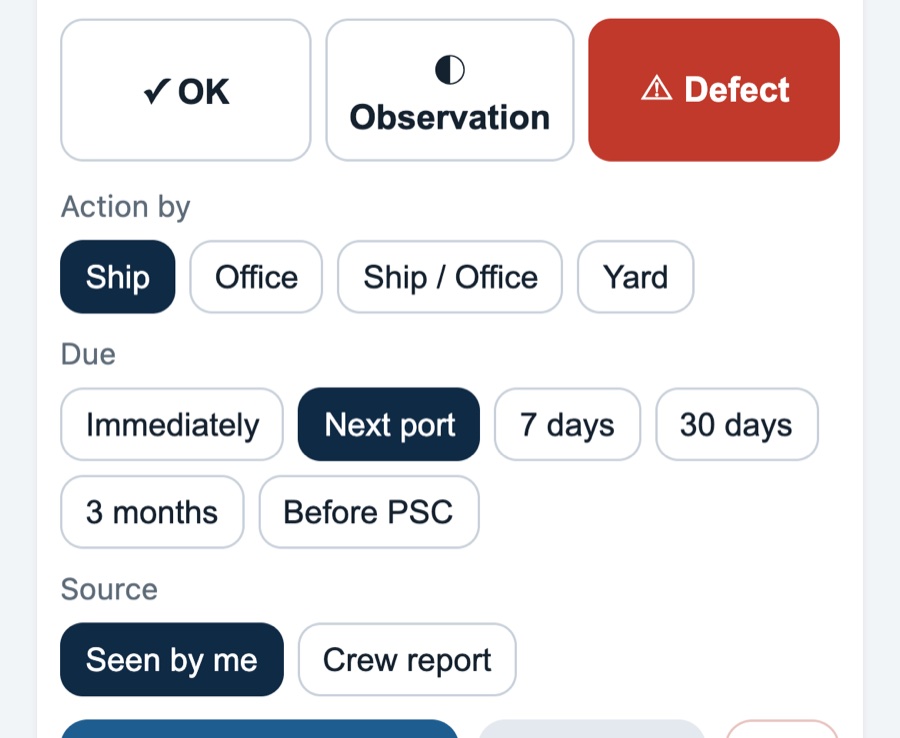
Ship, office, both, or yard. Immediately, next port, 7 days, 30 days, 3 months.
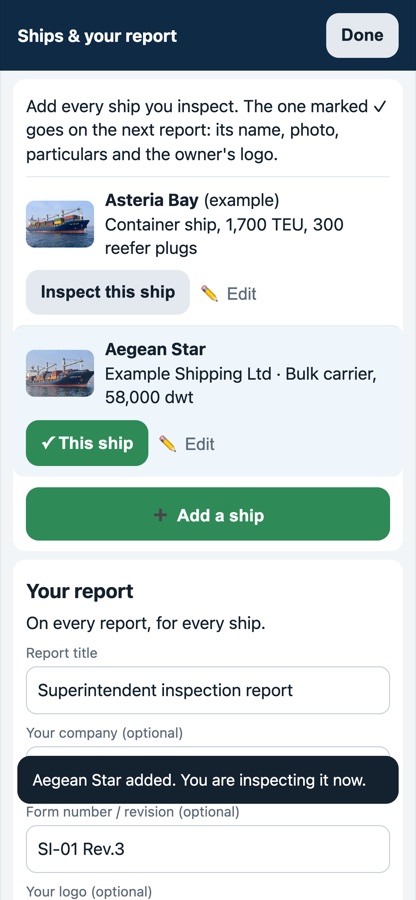
Add every ship yourself, with its photo and particulars. Your logo, the owner's logo and your form number go on the report.
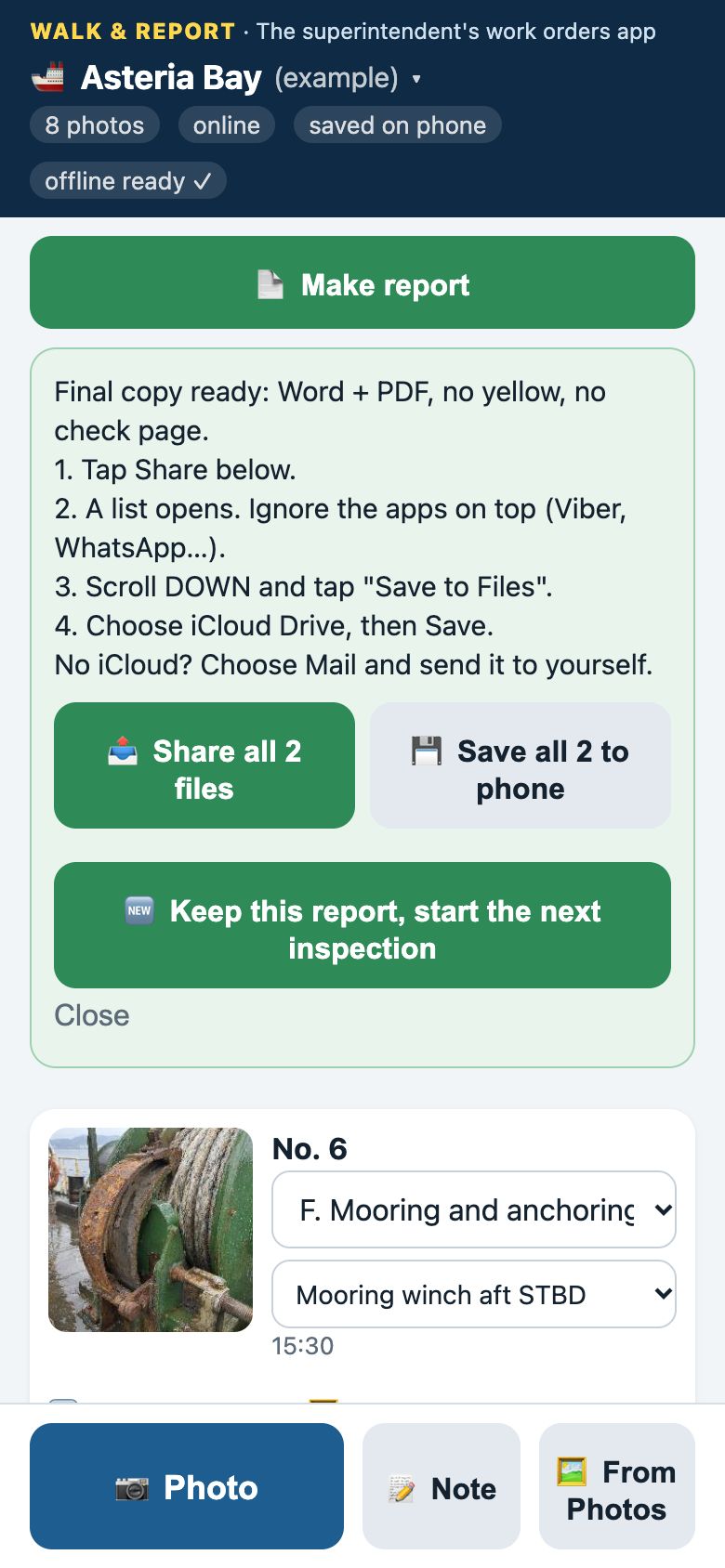
Share them by email or WhatsApp, or save them to Files, straight from the phone.
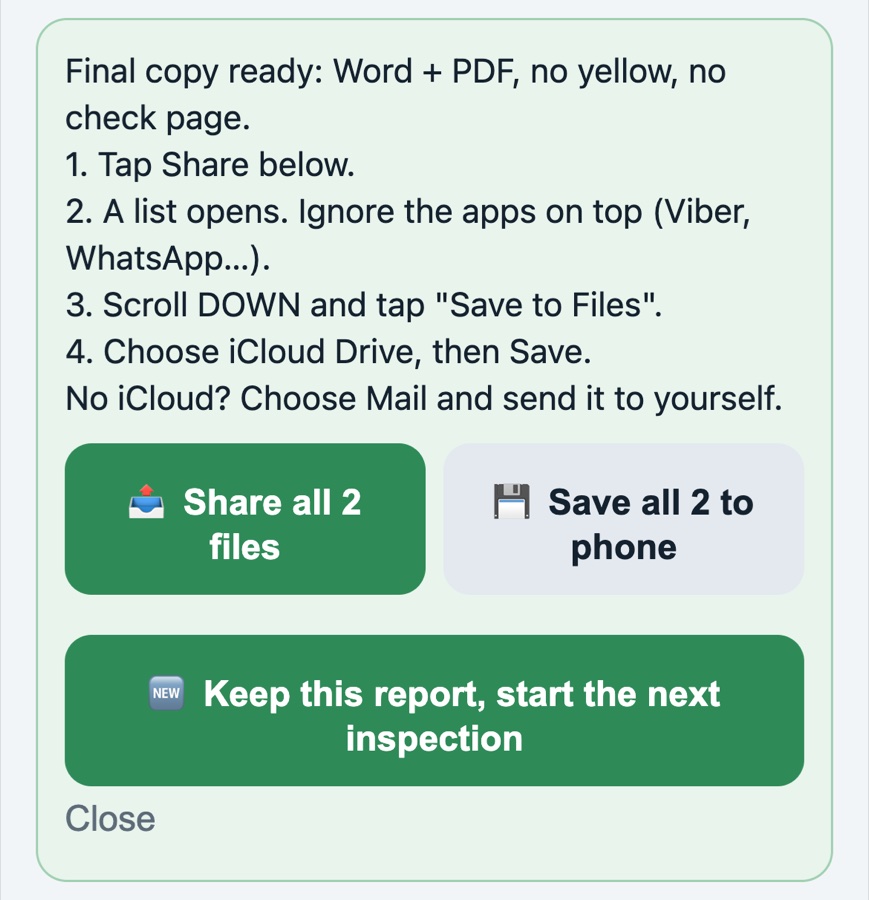
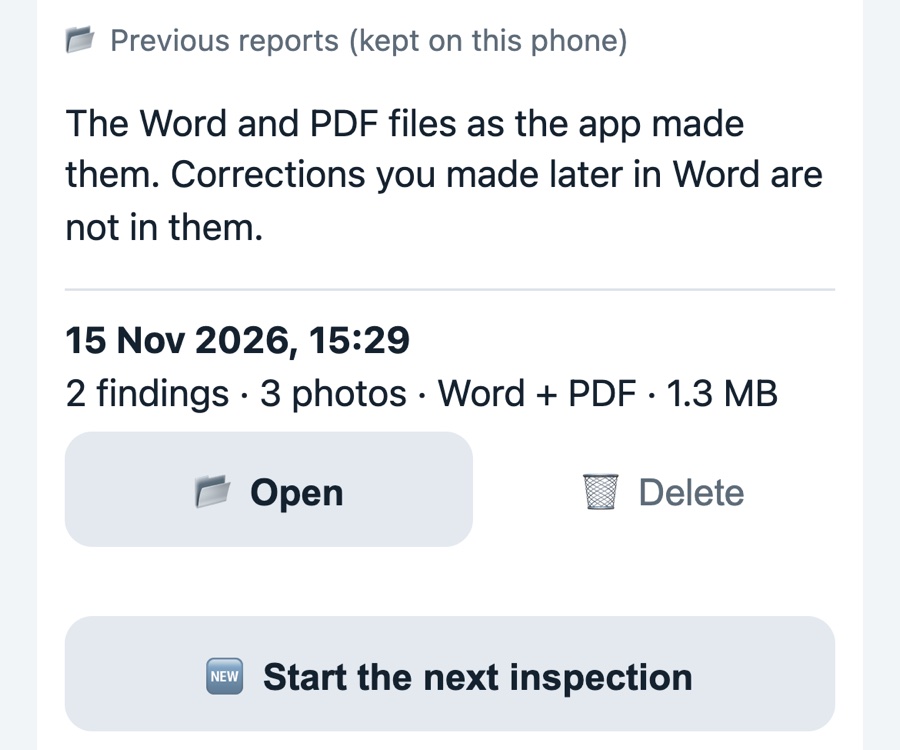
One inspection at a time. Each finished report stays under Previous reports, and the next ship starts clean.
The result
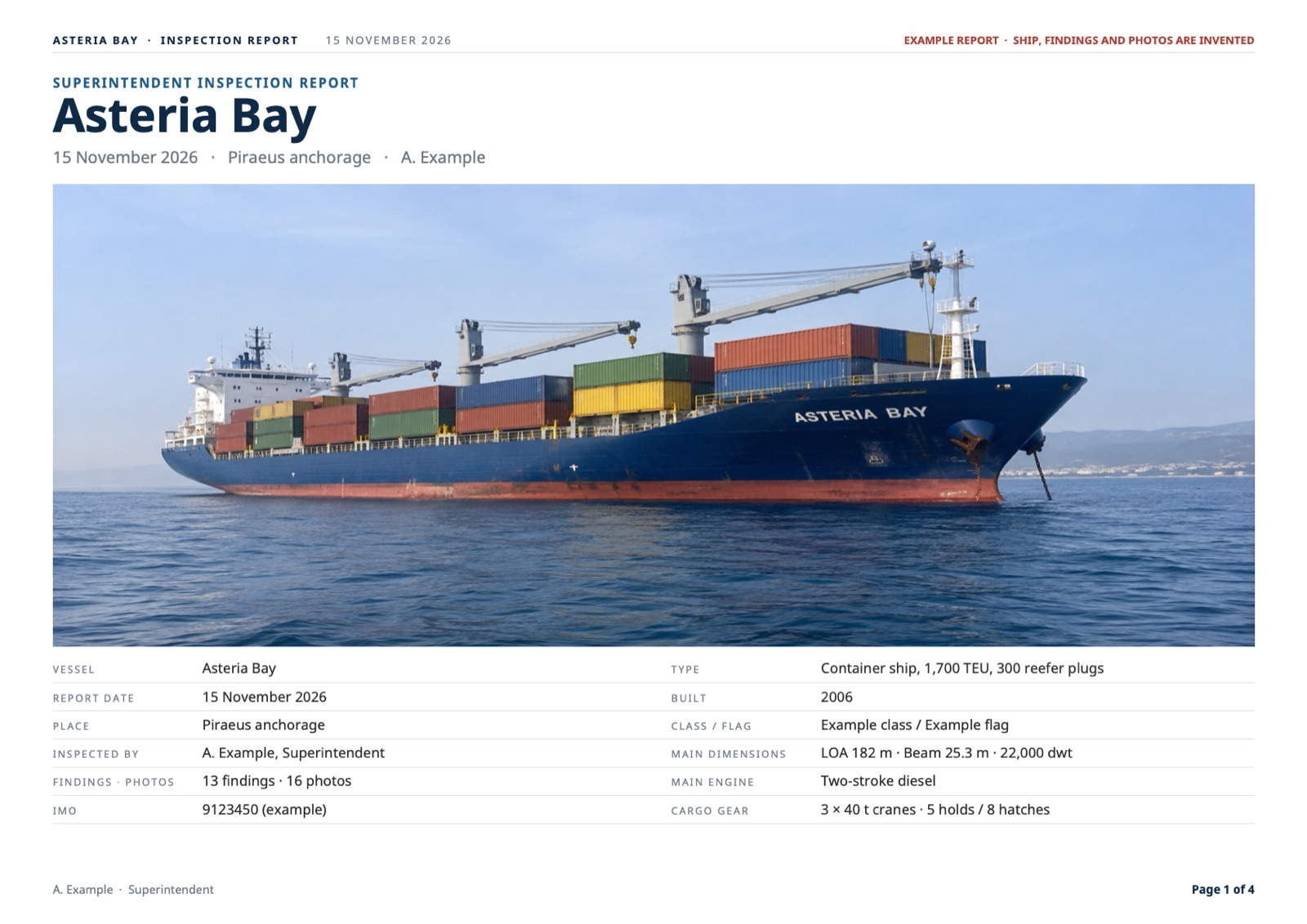
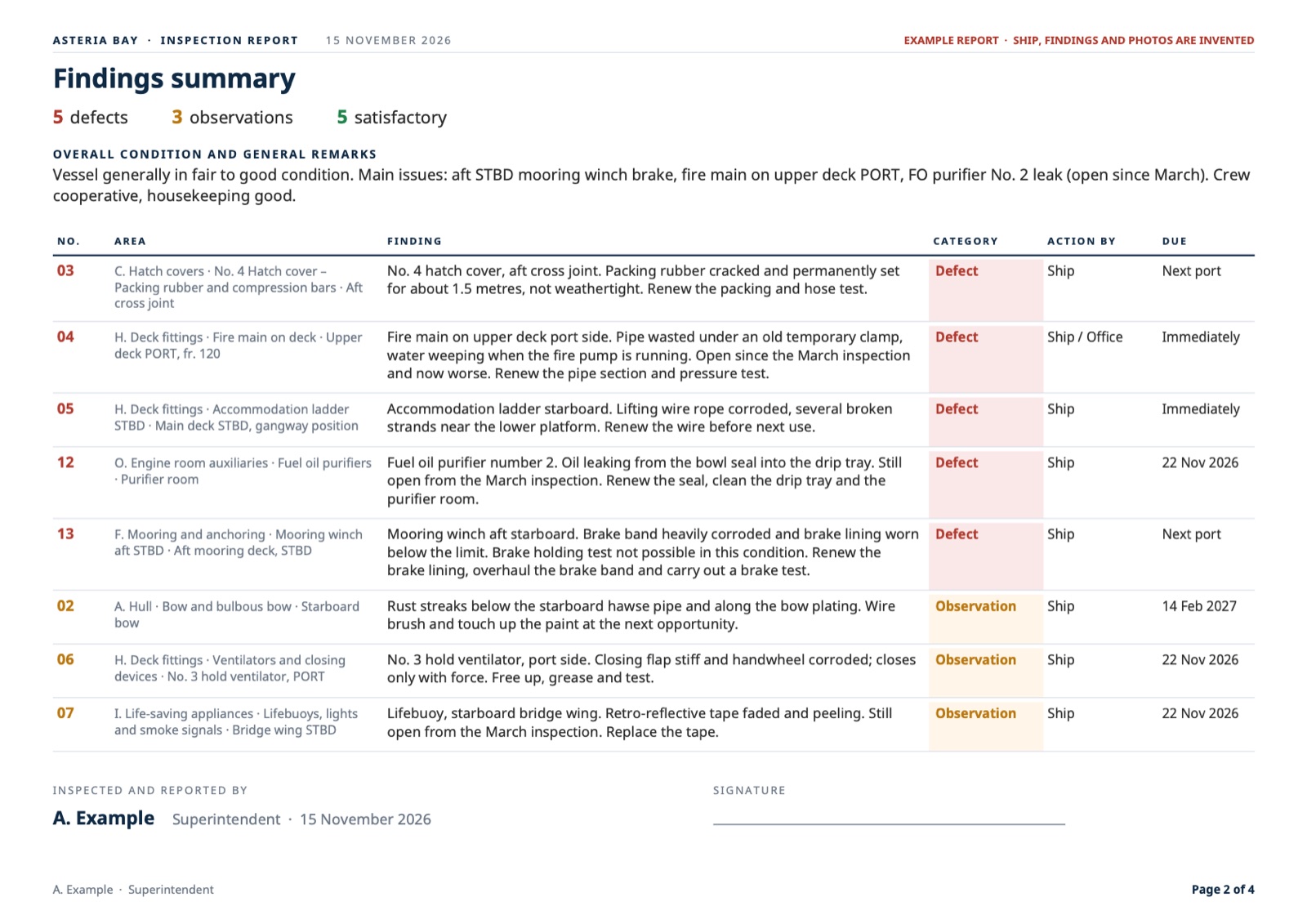
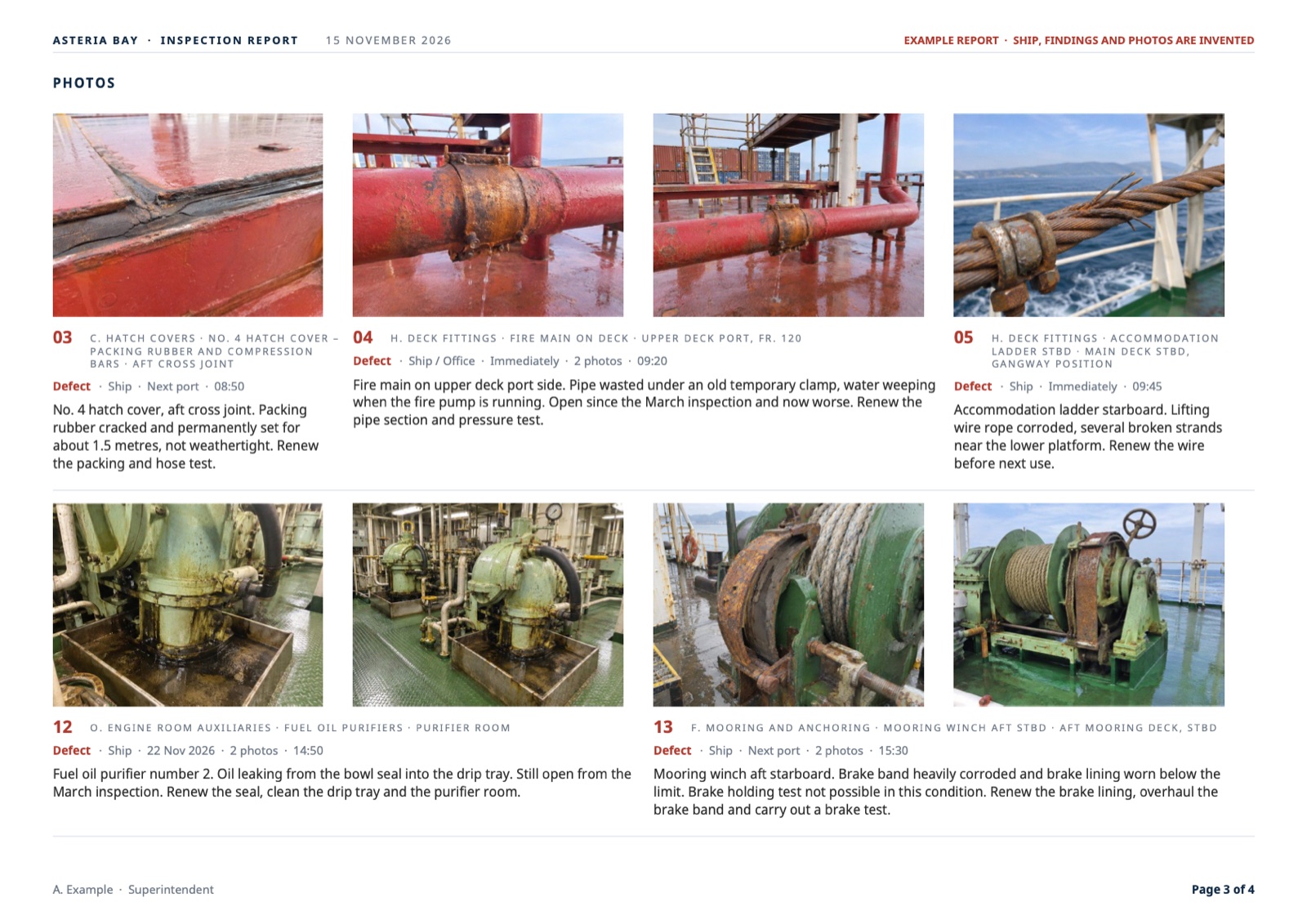
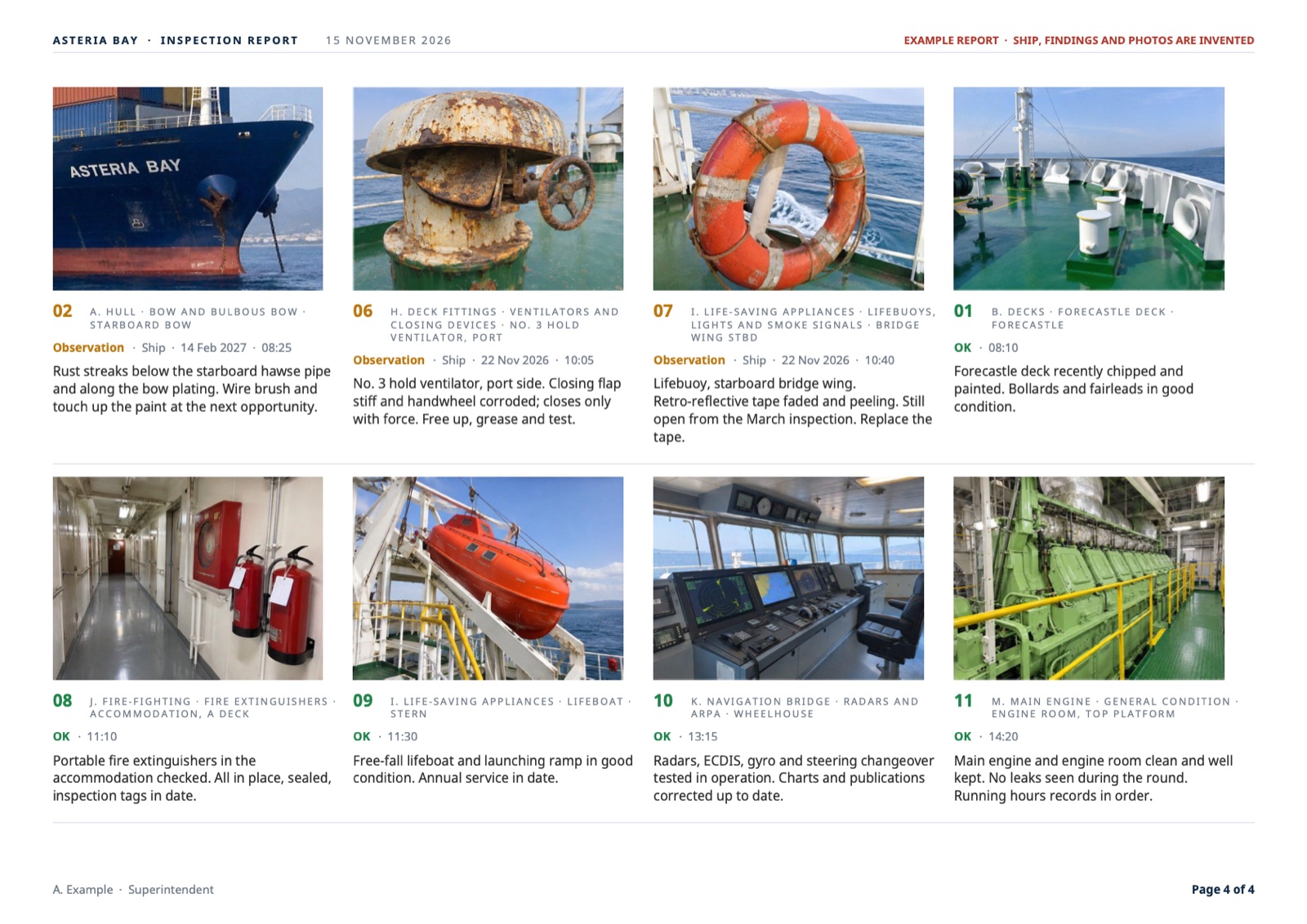
A real inspection report is usually much longer: often dozens of pages and many more photos. This example has 13 findings and 16 photos, just to show the layout.
Example ship, findings and photos are invented.
Why it exists
Zisis Kazakis, a superintendent in Piraeus, used it on a container ship in November 2026. His report had about 60 photos.
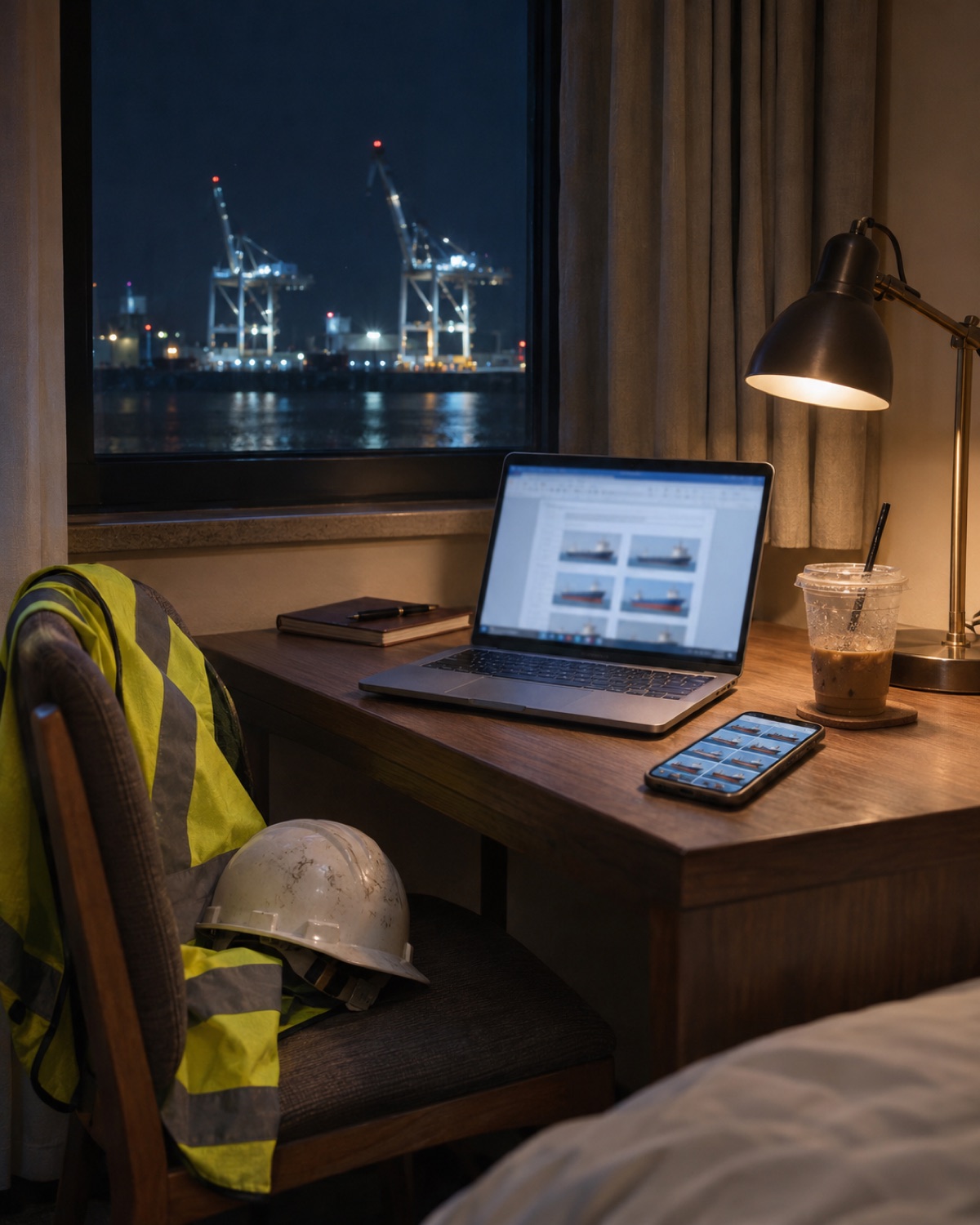 23:40 · hotel room
Used on board · container ship · November 2026
Otherwise I would have to take these 60 photos, resize them, put them inside, make the comment, write all this under. With one click. It saved me many hours.
Zisis Kazakis · Superintendent, Piraeus · November 2026
Want to hear it from him? Zisis is happy to talk to another superintendent about how it works on board.
Message Zisis on WhatsApp →Free for 30 days, no card
Use it on your real inspections, free. Happy? Choose €79 a year or €8.99 a month. Not happy? Just stop: you pay nothing, and the reports you made stay yours.
No code, no card. Open the short setup steps on your phone: put the app on your home screen, write your name and email (your 30 free days start), add your ship and logo, and make one test in airplane mode. About 10 minutes. Stuck? A WhatsApp with a screenshot and I help.
Any question, worry or something that doesn't work: message me on WhatsApp. I answer within a working day, and I fix it. No call centre, no tickets.
Each year is €79: support, fixes and every new version. Any extra change you want is quoted before I start.
Questions
Every photo and comment is saved on the phone the moment you take it, and stays there when you close the app or restart the phone. A yellow bar reminds you when something isn't backed up; one tap saves a backup file to Files, your laptop or your email. On a new phone you restore it in one tap.
Only the first time you open the link. After that it works fully offline: photos, notes and the finished Word and PDF. Dictation offline works on iPhone XS and newer.
Both. It opens in the phone's own browser and sits on your home screen like an app; nothing to install from a store. I've built apps for both: a superintendent uses his on an iPhone, and a ship's captain has his on Android. The setup steps cover both.
One inspection at a time, so nothing gets mixed up. After the final report, tap “Keep this report, start the next inspection”. The report stays under Previous reports, where you can open it again or delete it. Then choose the next ship and start.
Photos are resized for the report. The 16-photo sample PDF is 1.6 MB, so a 60-photo report is roughly 5–6 MB, fine for normal email.
Yes. The Word file is a normal Word document: correct a word, add a page, then save it as PDF the way you always do.
Only on your phone. There is no account, no server and no cloud. I never see your reports unless you send them to me, and I'm happy to sign your NDA.
One app, all your ships. Add each ship yourself in a minute, with the owner's logo, and choose it before the inspection. Its reports carry that owner's name and logo.
Everything you recorded stays on your phone. To make new reports, choose €79 a year or €8.99 a month and pay safely with Stripe (card, Apple Pay or Google Pay). You get your code on WhatsApp the same day, and you can cancel any time. If you stop, you pay nothing. Your reports are normal Word and PDF files and stay yours.
Not yet. Today the report lists every defect with who acts and by when. If you need a list for your tracker, tell me which columns you use.
The app is a set of files that runs on your phone, so it keeps working without me and without internet. On request I hand the files over, so your own IT can host and look after it.

Who builds it
I build Walk & Report together with a working superintendent, and change it after his feedback from real inspections. Before that I spent 10 years on passenger cruise ships.
I'm not a marine engineer: you bring the know-how, I build the tool around it. English, Polish and Greek.
Next inspection
Open the app, write your name and email, and your 30 free days start. The setup steps take about 10 minutes. Then €79 a year or €8.99 a month, VAT included.
WhatsApp: +30 697 005 3849 Ask me on WhatsApp →