Before your first ship
You need: your phone and Wi-Fi. Nothing to pay for 30 days, no card.
- Open the app
It opens in a new tab, with step 2 written at the top. This page stays open in the other tab.
iPhone: it must open in Safari. If it opens somewhere else, copy the link into Safari.Android: open it in Chrome. - Put it on your home screen
iPhone: tap Share (the square with the arrow) → Add to Home Screen → Add.Android: tap ⋮ → Add to Home screen or Install app.
You now have a yellow W icon called Walk & Report.
- From now on, open it only from the icon
Close Safari or Chrome and tap the yellow W. Your photos and reports live in the icon's app.
On iPhone, the home-screen app and Safari keep separate storage. Whatever you do in Safari is not in the icon's app, so do the next steps in the app. - Start your free 30 days
At the top of the app, write your name and email and tap Start my free 30 days. Everything works, nothing to pay. Settings & help shows how many days are left.
After 30 days, the app offers €79 a year or €8.99 a month (VAT included). One tap sends me a WhatsApp and you get your code the same day: paste it in Settings & help → Enter your code.
- Add your ship and your logo
Tap 🚢 at the top → ➕ Add a ship: name, IMO, owner, a photo of the ship and the owner's logo (both optional). Below that: your logo, company name, report title and form number.
In Settings & help, write your name as it should appear on the report cover.
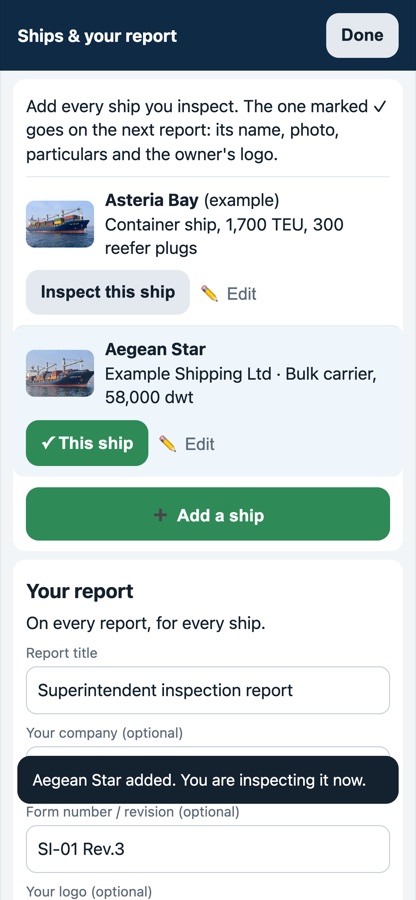
Ships & your report - One test in airplane mode
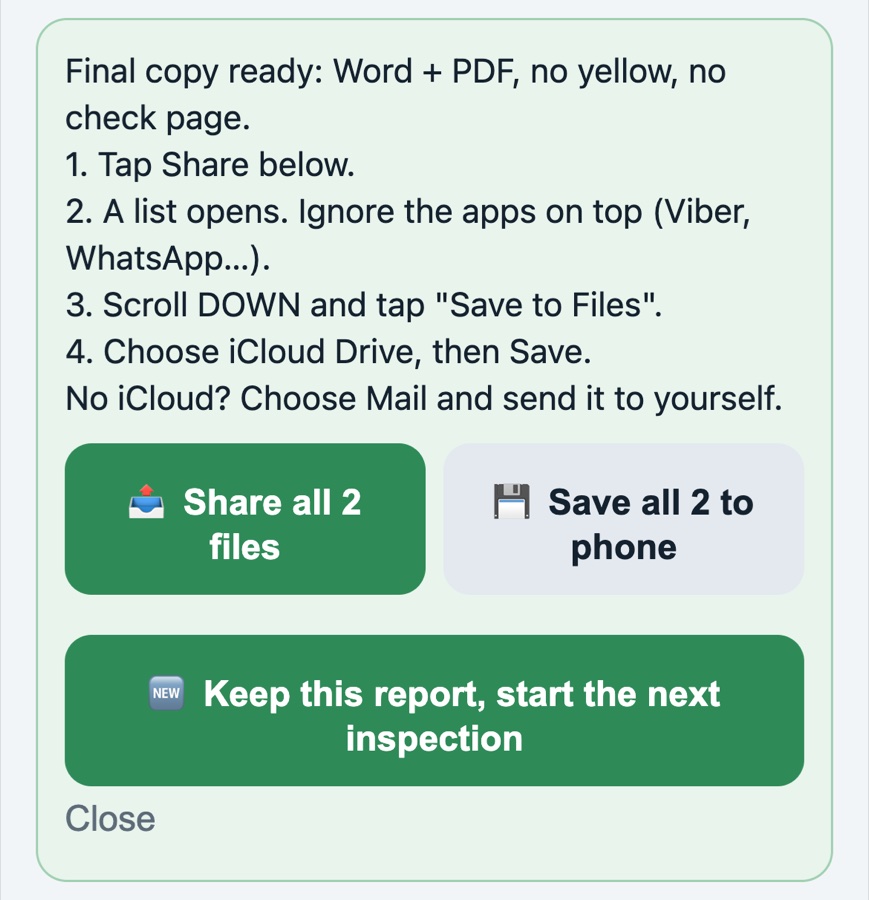
Turn on airplane mode. Take 2 photos of anything. Tap the comment box, tap 🎤 on the keyboard and say what you see. Mark one as Defect. Then tap 📄 Make report → Final copy → share it to yourself.
If dictation doesn't work offline on your phone, use 🎙 Memo on board and type the note later. When you're done, tap Keep this report, start the next inspection, so you start the real one clean.
On board
- Choose the ship. Pick where you are, take the photo, say or type what you see, then mark OK, Observation or Defect, who acts and by when.
- Wrong photo? Retake it or delete it. Wrong words? Say them again.
- At the end: 📄 Make report. The app lists anything missing; fix each one with a tap, then Final copy gives the Word and PDF.
- Next ship: Keep this report, start the next inspection. Old reports stay under Previous reports.
Keep your work safe
- When the yellow bar says photos are only on this phone, tap it and save the backup file to Files or send it to yourself.
- Never clear Safari or Chrome website data before the report is sent.
- New phone: open your link, add it to the home screen, tap Restore from backup in Settings & help, then enter your code again.
Send me a WhatsApp with a screenshot. I answer within a working day.
WhatsApp: +30 697 005 3849